How to earn with Art of Puzzles
Completing a picture advances the game. Your live Pawns.app offer determines which completed tasks are eligible for cash.
-
Find the available offer
Open Pawns.app and check whether Art of Puzzles is available for your account and device. Offers, availability, and terms can differ by region and change over time.
-
Review the task list
Read the milestones, reward values, deadlines, and eligibility rules before installing. Check what counts as a completed level in the offer instead of assuming every picture pays separately.
-
Install through Pawns.app
Use the link inside the active offer for a first-time installation and follow any required tracking prompts. That route connects eligible game progress with the offer you selected.
-
Complete scenes and verify
Match fragments to their outlines, finish puzzles, and follow the qualifying path shown in Pawns.app. After reaching a listed milestone, check its status and allow time for the task to register.
Every Art of Puzzles reward
The live reward section below displays the eligible tasks, cash amounts, and time limits for your offer. It is the source for earning conditions. An animated scene and a completed game level are satisfying milestones in Art of Puzzles, while Pawns.app cash follows the tracked tasks specified there.
- Paid tasks
- 16
- Genre
- Puzzle
| Task | Reward |
|---|---|
| Solve 5 puzzles | $0.04 |
| Solve 10 Puzzles | $0.06 |
| Solve 15 puzzles | $0.07 |
| Solve 30 puzzles | $0.08 |
| Solve 50 puzzles | $0.10 |
| Solve 75 puzzles | $0.17 |
| Solve 100 puzzles | $0.23 |
| Solve 150 puzzles | $0.30 |
| Solve 200 puzzles | $0.41 |
| Solved 250 puzzles | $0.53 |
| Solve 300 puzzles | $0.68 |
| Solve 400 puzzles | $0.84 |
| Solve 500 puzzles | $1.02 |
| Solved 600 puzzles | $1.20 |
| Solve 700 puzzles | $1.65 |
| Solved 800 puzzles | $1.98 |
How far will you play?
Drag to see what you would earn by reaching each milestone.
Solve 300 puzzles
All game names, logos, artwork and trademarks are the property of their respective owners. Pawns.app is not affiliated with, sponsored by or endorsed by them.
What is Art of Puzzles?
Step into my little picture gallery. One frame holds a fantasy scene with an empty patch of sky; another has a character waiting for the last piece of the story. Art of Puzzles by ZiMAD blends a jigsaw game with a sticker book. You select an unlocked picture, scroll through fragments in the tray at the bottom of the screen, and drag each one to the outlined area where it belongs. As you fill sections, more outlines appear. Finish the whole scene and it comes alive with animation.
This is less about counting corners and more about reading a picture. A fragment might belong because its color continues a nearby tree, because its silhouette fits an outline, or because it completes the gesture of a character. When the next space is unclear, glance across the entire image before digging through the tray again. Each placement reveals more of the composition, so the picture itself gradually becomes your guide. The delight is watching a still collection of shapes turn into a small moving world.
There are hundreds of illustrated puzzles with colorful characters, gentle music, and stories to discover. A finished Gallery puzzle counts as a completed campaign level and unlocks the next one. The game also has Collection puzzles, which its help center lists separately. That distinction matters when you are following an external offer: read the precise task wording and compare it with the level number shown in the opened puzzle rather than guessing that every side activity moves the same counter.
The gallery is friendly to short sessions. If you leave an unfinished puzzle through the back arrow, the game saves your work so you can continue later. A lightbulb hint highlights the correct place for a random piece when you are stuck. Some downloaded puzzles can be completed offline, but new pictures need an internet connection to download. For a Pawns.app offer, reconnect and confirm that a milestone has registered before assuming an offline session has been credited.
Think of the game as the canvas and the offer as a separate checklist. Art of Puzzles supplies pictures, levels, and any in-game hints or daily activities. Pawns.app supplies its own eligible milestones and cash balance. Enjoy the animation when the image is finished, then check the live offer for what that completed work means for your reward progress.

How to finish the offer faster

Read the scene before the tray
Use hints only when useful
Keep campaign progress clear
Plan for downloads and tracking
How the offer paces out
-
Days 1–4
Solve 5 puzzles to Solve 75 puzzles
6 milestones, under $1.
-
Days 5–18
Solve 100 puzzles to Solve 300 puzzles
5 milestones, about $2.
-
Days 19–45
Solve 400 puzzles to Solved 800 puzzles
5 milestones, about $6.
Cash out from $5
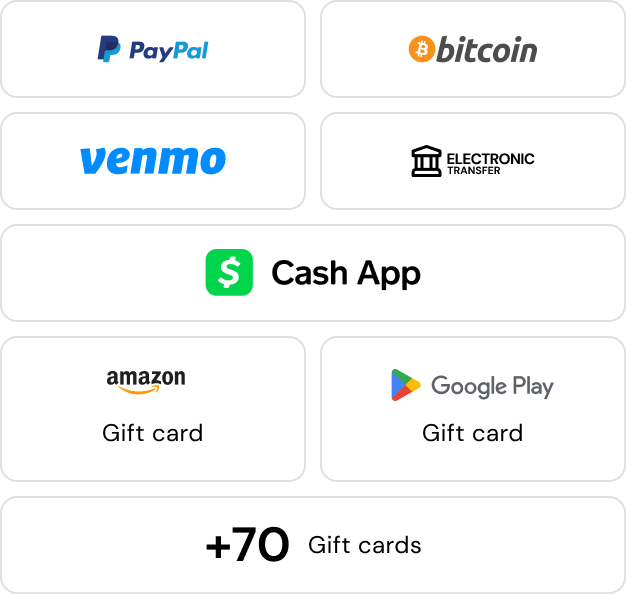
When tracked offer tasks lift your Pawns.app balance to $5, you can request a withdrawal using a method available in your region. The finished illustration belongs in your gallery; the cash reward belongs in your Pawns.app balance. See the payout options before choosing how to withdraw.
Payouts in






What players say


Reviews from the App Store and Google Play.




Questions about Art of Puzzles
Open an unlocked puzzle in the Gallery, find fragments in the bottom tray, and drag them onto matching outlined areas. New outlines appear as sections are completed. Placing all fragments finishes the scene and unlocks the next puzzle.
Each solved puzzle counts as a completed level. The developer distinguishes Gallery campaign levels from Collection puzzles, and the current level number appears at the bottom left of an opened puzzle.
It combines jigsaw-style picture matching with sticker book or coloring book ideas. Instead of building a rectangular puzzle on a table, you place illustrated fragments into a scene that animates when complete.
Tap the lightbulb in the top right of the puzzle screen. A hint highlights the correct position of a random piece, which can help when several outlines look similar.
Yes. The developer says progress is saved automatically when you exit through the top-left arrow, so you can return to the unfinished picture later.